
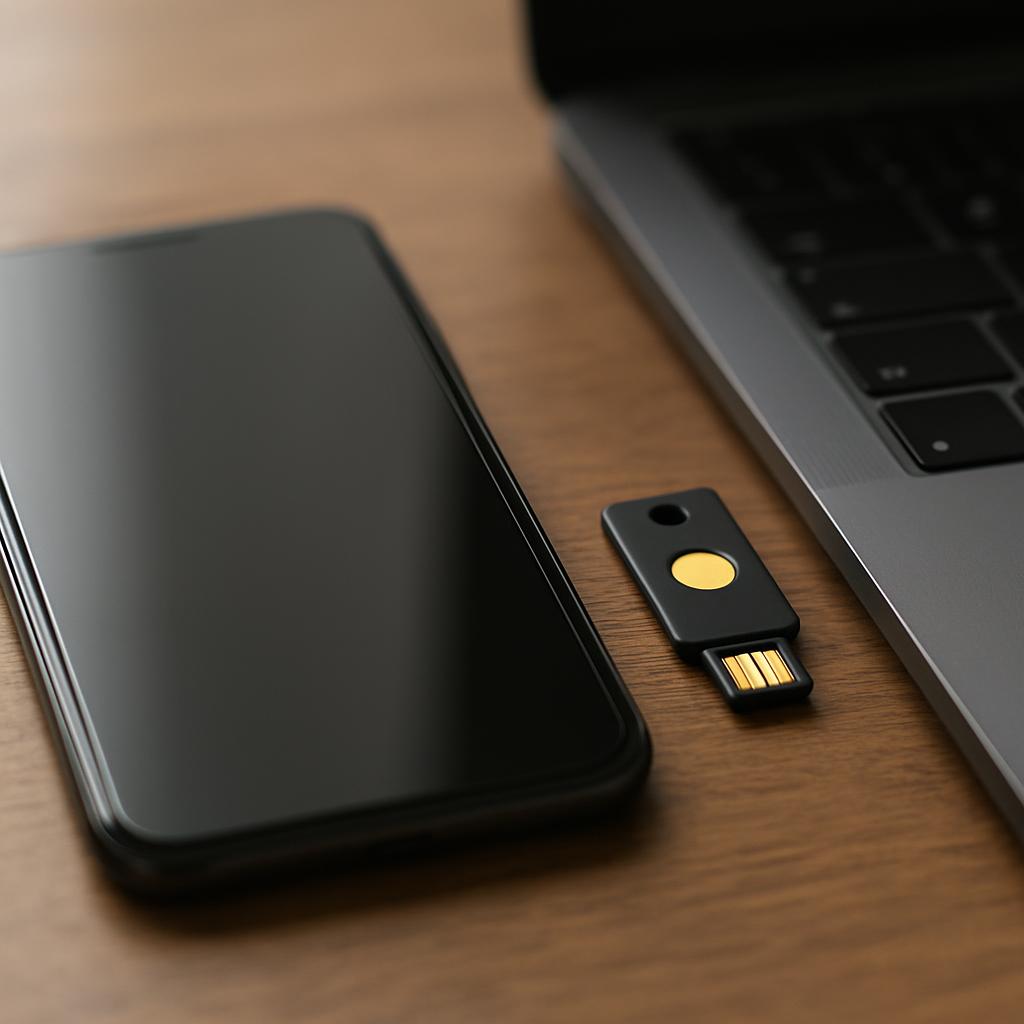
You get a two-factor authentication code by checking the method you set up during account setup - usually a text message, an authenticator app like Google Authenticator or Authy, an email, or a physical security key. Two-factor authentication, often shortened to 2FA, adds a second proof of identity on top of your password, so even if someone steals your password they still can't log in. It's now standard on banking apps, email, social media, and most workplace systems.
Key takeaways
- 2FA codes arrive through SMS, authenticator apps, email, or physical security keys, depending on what you chose when you turned it on
- Authenticator apps and security keys are generally safer than SMS codes because text messages can be intercepted
- Setting up 2FA takes about five minutes through your account's security settings
- Losing access to your code method is the biggest risk - always save backup codes somewhere safe
- 2FA blocks most automated and password-based attacks but cannot stop every type of scam
What is two-factor authentication and how does it work?
Two-factor authentication is a login system that requires two separate pieces of proof before letting you into an account: something you know, like a password, and something you have or are, like a phone or a fingerprint. It works by checking the first factor as usual, then pausing to confirm the second factor before granting access.
The idea behind 2FA is simple. A password alone can be stolen, guessed, or leaked in a data breach without you ever knowing. By adding a second, separate check, a thief who has your password still can't get in, because they don't have your phone, your security key, or your fingerprint.
Most 2FA systems follow the same basic sequence, whether you're logging into a bank app or a work email account.
- You enter your username and password as usual.
- The service recognizes the password is correct but asks for a second proof.
- It sends or generates a one-time code, or asks you to approve a push notification.
- You enter the code or tap approve within a short time limit, often 30 to 60 seconds.
- The service grants access once both factors check out.
This two-step check is why 2FA is sometimes called "two-step verification," though the terms are used slightly differently depending on the company. Google, for example, uses the term "2-Step Verification" for its own version of this system.
How to set two-factor authentication?
You turn on two-factor authentication inside the security settings of whatever account you want to protect, usually under a label like "Security," "Login & Security," or "Two-Factor Authentication." The exact wording changes by service, but the process is almost always the same short set of steps.
- Open the account's settings menu and find the security or privacy section.
- Look for "Two-Factor Authentication," "2-Step Verification," or "Login Approvals."
- Choose how you want to receive codes: text message, authenticator app, email, or a security key.
- Confirm your phone number or scan a QR code with an authenticator app.
- Enter the test code sent to confirm it works.
- Save the backup codes the service gives you, usually a list of 8 to 10 one-time codes.
Backup codes matter more than most people realize. They are a one-time emergency set of codes meant to be used if you lose your phone or can't access your usual method. Many account lockouts happen because someone turned on 2FA, never saved the backup codes, then lost their phone months later.
Workplace accounts often handle setup differently. IT departments may push 2FA automatically through a company-managed app like Microsoft Authenticator or Duo, and employees are required to register a device before they can log in at all. If your employer uses this system, you typically can't opt out, since it protects shared company data, not just your personal account.
How do I actually get my 2FA code?
You get the code from whichever delivery method you chose when you set up 2FA, and each method has its own look and feel. Knowing where to check saves time when you're staring at a login screen waiting for a number to appear.
- Text message (SMS): a six-digit code arrives by text within seconds of your login attempt.
- Authenticator app: apps like Google Authenticator, Microsoft Authenticator, or Authy generate a new six-digit code every 30 seconds, with no internet connection needed.
- Push notification: the app sends a prompt to your phone asking you to tap "Approve" or "Deny" instead of typing a code.
- Email: a code or link is sent to a backup email address, used less often because email itself can be compromised.
- Security key: a small physical USB or Bluetooth device, such as a YubiKey, confirms your identity when plugged in or tapped.
- Backup codes: the one-time codes you saved during setup, used only when your main method isn't available.
Authenticator apps work offline because they generate codes using a shared secret set up during registration, combined with the current time, rather than receiving anything over the network. That's why the code still works even in airplane mode, as long as the clock on your phone is accurate.
If a code never arrives, check your phone signal, spam folder, or whether the app needs updating before assuming something is broken. Carrier delays and app bugs are far more common causes of a missing 2FA code than an actual security problem.
What are the disadvantages of 2FA?
The biggest disadvantage of 2FA is that it can lock you out of your own account if you lose access to your second factor, such as an old phone number or a broken device. Beyond that, 2FA adds friction to every login, and some delivery methods are weaker than others.
- Phone dependency: losing or replacing a phone can mean losing access to codes until you go through account recovery.
- SMS weaknesses: text messages can be intercepted through SIM-swapping scams, where a criminal tricks a carrier into transferring your number to their device.
- Login friction: an extra step slows down every single login, which frustrates some users enough to disable it.
- No signal, no code: SMS and push notifications fail without cell service or internet access.
- Phishing risk: attackers can trick people into typing their real-time code into a fake login page, defeating the protection.
SIM-swapping is the most serious of these risks. Telecom fraud teams and security researchers have repeatedly flagged it as a way criminals bypass SMS-based 2FA on high-value accounts like banking or cryptocurrency exchanges. This is one reason security experts increasingly recommend authenticator apps or hardware keys over text messages.
Despite these drawbacks, security researchers consistently find that 2FA blocks the vast majority of automated account takeover attempts, because most attacks rely on stolen passwords alone with no second factor available. The inconvenience is generally considered a reasonable trade for the added protection, especially on accounts holding money or sensitive data.
How does 2FA compare to other login security methods?
2FA sits in the middle of a range of login security options, stronger than a password alone but simpler than full multi-factor systems used by governments and large companies.
| Method | What it requires | Typical strength |
|---|---|---|
| Password only | Something you know | Weakest, easily stolen or guessed |
| Two-factor authentication (2FA) | Password plus one extra factor | Strong against most remote attacks |
| Multi-factor authentication (MFA) | Password plus two or more extra factors | Very strong, used for sensitive systems |
| Biometric login alone | Fingerprint or face only | Convenient but limited without backup |
| Passkeys | Device-based cryptographic key, no password | Strong and increasingly phishing-resistant |
Multi-factor authentication is really just 2FA's bigger sibling, requiring three or more checks instead of two, such as a password, a code, and a fingerprint scan together. Banks and government systems sometimes use full MFA for high-risk actions like wire transfers.
Passkeys are the newest alternative gaining ground through 2026, replacing passwords entirely with a cryptographic key stored on your device and unlocked by your fingerprint or face. Companies including Apple, Google, and Microsoft have been pushing passkeys as a long-term replacement for both passwords and SMS codes, since they are much harder to phish.
Which apps and companies use two-factor authentication?
Two-factor authentication is now built into nearly every major online service that handles money, personal data, or communication. Google, Apple, Microsoft, Amazon, and most banks offer it, and many make it mandatory for certain account types.
Social media platforms like Instagram, Facebook, and X offer 2FA through SMS or authenticator apps, and some require it for accounts with large followings to reduce account theft. Financial apps, including banking and payment platforms such as PayPal, generally push customers toward 2FA or make it a default requirement, since a breached financial account is far more costly than a breached social profile.
Workplace tools are another major category. Microsoft 365, Google Workspace, and Slack all support 2FA, and companies frequently enforce it across every employee account to protect shared files and client data. Authenticator apps built by Google, Microsoft, and the independent app Authy are among the most widely used tools for generating these codes across many different accounts from a single app.
Gaming platforms have also adopted 2FA, partly because stolen gaming accounts with purchased items or in-game currency have real resale value. Steam, Xbox, and PlayStation all offer some form of two-factor login for this reason.
What should you do if you can't get your code?
If your 2FA code never arrives, the fastest fix is usually your saved backup codes, followed by the account's official recovery process if those are also unavailable. Every major platform has a recovery path built specifically for this situation, since lost access to a second factor is common.
- Try your backup codes first, since they work even without phone signal or app access.
- Check whether your authenticator app needs a software update or time resync, since outdated clocks cause invalid codes.
- Confirm your phone has signal or Wi-Fi if you're expecting an SMS or push notification.
- Use the "trouble signing in" or "recover your account" link on the login page.
- Contact the service's official support channel directly if none of the above works, and avoid any link sent to you unsolicited claiming to help.
Recovery usually takes longer than a normal login, sometimes 24 to 72 hours, because the company needs to verify you are really the account owner without relying on the second factor you've lost. This delay is intentional and exists to stop criminals from using a fake "lost access" claim to break into someone else's account.
The best way to avoid this problem is prevention: register more than one recovery method where the service allows it, such as both an authenticator app and a backup email, and store printed backup codes somewhere safe and offline, like a locked drawer rather than a phone note.
Frequently asked questions
What's the difference between 2FA and MFA?
2FA requires exactly two proofs of identity, usually a password plus a code. MFA is a broader term covering two or more factors, so every 2FA setup is technically a form of MFA, but not every MFA setup is limited to just two steps.
Can hackers bypass 2FA?
Yes, though it's much harder than bypassing a password alone. Common methods include SIM-swapping to intercept SMS codes, phishing pages that capture codes in real time, and tricking users into approving a push notification they didn't request.
Is an authenticator app safer than text message codes?
Generally yes, because authenticator apps generate codes locally on your device without relying on the phone network, which removes the SIM-swapping risk tied to SMS. Security experts commonly recommend apps or hardware keys over text messages for accounts holding money or sensitive data.
What happens if I lose my phone and can't get the code?
Use your saved backup codes if you have them, or go through the service's official account recovery process, which may take a day or more to verify your identity another way. This is why saving backup codes during setup is so important.
Is two-factor authentication free to set up?
Yes, nearly every major platform offers 2FA at no cost through SMS, email, or a free authenticator app. The only cost involved is optional, such as buying a physical security key for extra protection.